

Uploading designs isn’t just a technical step - it’s one of the most powerful drivers of studio visibility and discoverability on the platform. Every upload helps clients find your studio, return to your site, and build trust in your work.
The key mindset shift?
Don’t think of uploading as a one-off task. Think of it as a visibility system.
This guide breaks down how to build a strategic upload strategy that creates momentum, increases exposure, and drives results - without overwhelm.
.png)
The Magic Number: How Many Designs Should You Upload?
Across the platform, studios that consistently gain traction tend to upload 25 designs on average per month or more.
Why this number works:
- Freshness boosts visibility: Clients return when there’s always something new to discover
- Activity signals credibility: Frequent uploads show that your studio is active, evolving, and reliable
- More discovery points: Every upload creates a new opportunity for buyers to find you
Pro tip: If 25 designs per month feels ambitious, start with 8–12 designs per month (around 2–3 uploads per week). Consistency matters more than volume. A sustainable upload rhythm supports long-term growth and better performance over time.
Build a Weekly Upload Rhythm (and Avoid the “Burst & Ghost” Trap)
One of the biggest momentum-killers is the “burst and ghost” approach—uploading 40–50 designs at once, then disappearing for weeks.
Instead, focus on a weekly upload rhythm:
- Choose one consistent upload day (for example, New Design Tuesday)
- Prepare designs in advance
- Upload in one focused batch
This approach:
- Reduces decision fatigue
- Trains buyers to expect fresh content
- Builds visibility faster than sporadic uploads
Even a modest but consistent upload cadence performs better than sporadic bursts.
When Clients Browse vs. When They Buy
Timing impacts visibility and conversion. While you don’t need to optimize for a specific hour, the day of the week matters.
Platform data insights (2024–2025):
- Tuesday: Highest number of user sign-ins
- Wednesday: Peak overall platform activity
- Monday & Tuesday: 42% of total sales (strongest conversion days)
What this means:
- Browsing peaks mid-week (Tuesday–Wednesday), when clients explore and shortlist designs
- Purchasing happens earlier (Monday–Tuesday), when decisions are finalized
Recommended upload strategy:
Upload new designs early in the week (Monday–Wednesday) to maximize exposure during peak browsing and position your work when buyers are most likely to purchase.
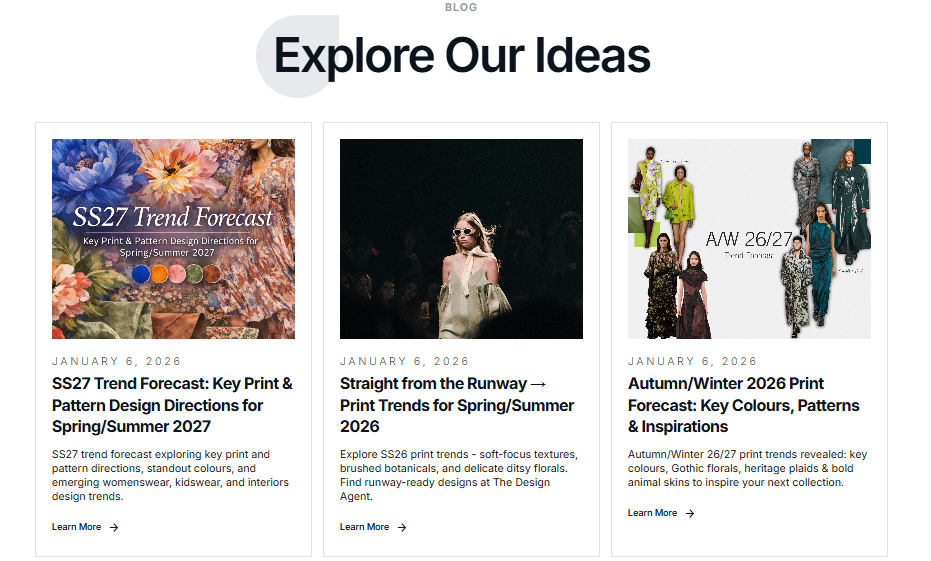
Use Trend Blogs to Guide Smarter Uploads
Trend blogs are one of the most effective tools for improving upload performance and visibility.
Our trends are created by a dedicated team combining design research, market analysis, and platform data. They directly reflect what buyers are currently searching for—and what they’ll want next.
How trend blogs support your upload strategy:
- Clarity: Translate market shifts into actionable design directions
- Efficiency: Focus on themes, styles, and palettes already in demand
- Future-proofing: Move from “what’s trending now” to “what’s coming next season”
Real example:
When our blog highlighted Brushed Botanicals from the SS26 runways, studios that responded with painterly florals in saturated pinks and greens saw those designs quickly appear in buyer searches. By acting on the trend early, they positioned themselves as a go-to source while demand was building.
👉 Explore the latest trends at thedesignagent.com/blog or browse the Trends section on the platform to stay aligned with what buyers are looking for.
Single Designs vs. Collections: What Performs Best?
You don’t always need to upload full collections—but knowing when to use them strategically can significantly improve buyer engagement.
Single designs work best for:
- Weekly, ongoing uploads
- Maintaining consistent visibility
- Core designs that keep your studio active
Collections work best when:
- A seasonal shift is approaching
- A trend can be explored across variations
- You want to tell a clear, cohesive visual story
Example:
A bold tropical floral starts gaining traction. Instead of stopping there, you expand it into a mini collection:
- A softer tonal version
- A coordinating geometric derived from leaf shapes
- A small-scale ditsy using individual blooms
All designs share a unified color palette and visual language, making it easier for buyers to build cohesive product ranges.
From a buyer’s perspective, collections make studios easier to browse and easier to buy from.
Final Thought: Build Momentum, Not Pressure
Successful studios aren’t built by uploading everything at once. They grow by showing up consistently, tracking performance, and refining their upload strategy over time.
A steady, trend-aware upload approach turns visibility into momentum—and momentum into results: more views, more basket adds, and more sales.
If you need support, our marketing experts are here to help.
📩 Contact us at support@thepatterncloud.com